
Online courses on WordPress
Embed an online course on WordPress
Add course delivery to an existing WordPress site instead of moving your website. Embedin runs the learning experience while WordPress keeps your pages and content.
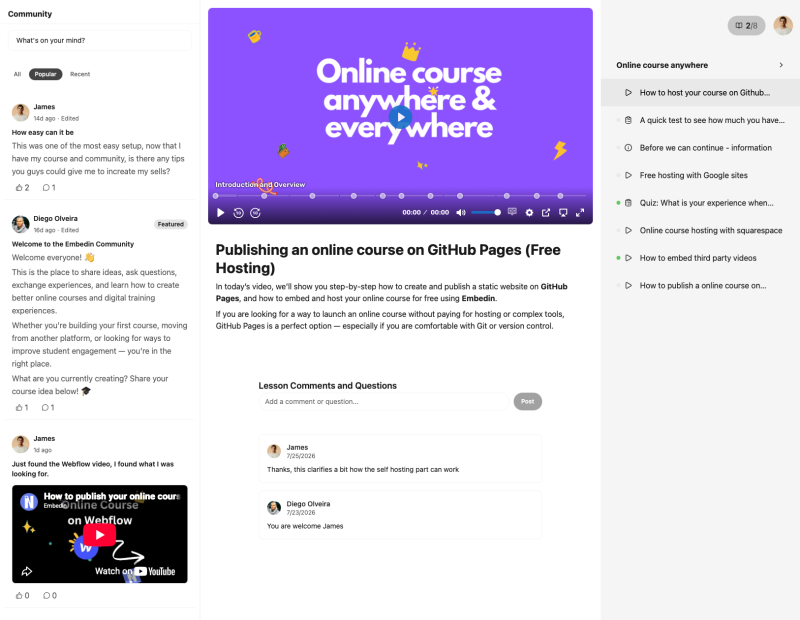
Why WordPress + Embedin
Keep your site. Add the learning experience.
A Custom HTML block can place a course within a WordPress page alongside your own introduction and sales information. WordPress hosting plans, plugins, and security settings vary, so confirm external module scripts are permitted on your site.
- Keep your existing WordPress pages and navigation.
- Place course content beside your own search-friendly page copy.
- Manage lessons and course access in Embedin.
Setup guide
How to add an online course to WordPress
- 01
Publish your course
Create the course in Embedin and copy its Course ID from course settings.
- 02
Allow your WordPress domain
Add your production domain in Embedin. If you test on staging or use both www and non-www URLs, add those hostnames too.
- 03
Insert a Custom HTML block
In the WordPress editor, add a Custom HTML block where learners should see the course and paste the snippet below.
- 04
Publish and test the page
Check the public page on desktop and mobile. If the script is removed or blocked, review your WordPress plan, plugin, and security settings.
Use this embed snippet and replace YOUR_COURSE_ID with the course ID from Embedin:
<div id="YOUR_COURSE_ID" data-courseid="YOUR_COURSE_ID"></div>
<script type="module" data-courseid="YOUR_COURSE_ID" src="https://embed.embedin.com/course.js"></script>Before you publish
WordPress course questions
Will the embed work on every WordPress host or plan?
Not necessarily. Some hosted plans, plugins, or security settings restrict custom scripts. Confirm your editor allows external module scripts.
Can I use a page builder instead of the block editor?
Use a page builder element that accepts HTML and external scripts. The exact controls depend on your builder.
Why is the course missing on my production page?
Check that the production hostname is allowed in Embedin, the Course ID is correct, and WordPress has not stripped or blocked the script.
Your website, your course
Start building your WordPress course.
Create a course in Embedin, connect it to your site, and keep the learning experience in your brand.
Start for free No credit card required.