

Wix is a powerful, cloud-based website builder that enables anyone to create a professional website without coding or design experience. Its intuitive drag-and-drop editor lets you customize layouts, add media, and integrate features like online stores, bookings, and blog pages. With built-in hosting, SEO tools, and access to the Wix app marketplace, Wix is a complete all-in-one platform for building and managing websites.
In today’s post, we’ll walk you through how to publish and display your online course on Wix using Embedin, a no-code course hosting platform.
Step-by-step: Host your online course on Wix using Embedin
On the app.embedin.com course settings page, locate the course you want to publish and click on Course ID to copy it.

Install the Embedin app in Wix
Install the Embedin Wix online course app
Select Add to Site, accept the agreement, and Wix Studio will open with Embedin already installed.
Add the Embedin Widget to your Wix page
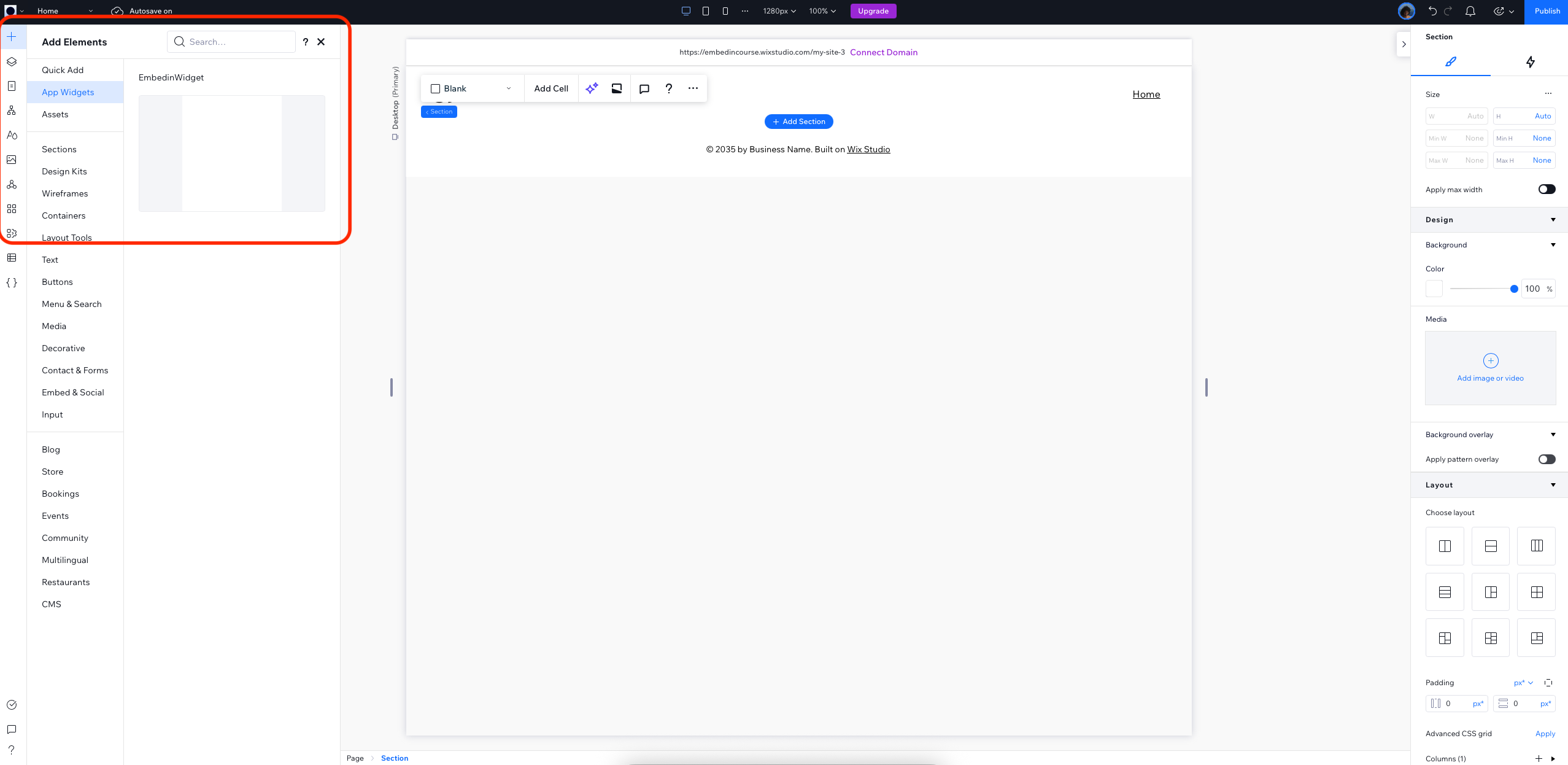
Inside Wix Studio:
- Click the Plus (+) icon in the sidebar
- Go to App Widgets
- Select EmbedinWidget and drag it onto your page
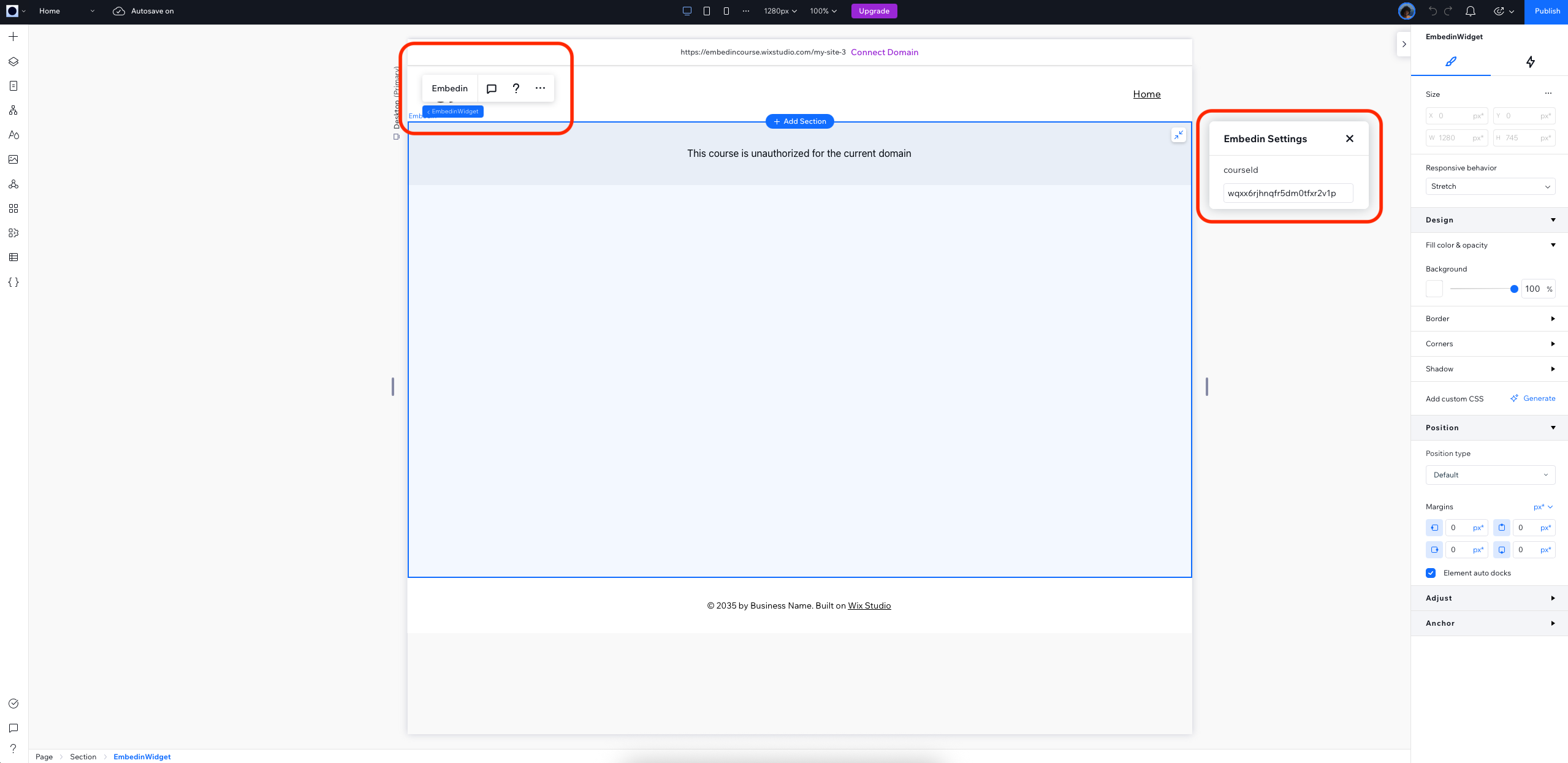
A box will appear with Embedin’s menu at the top.
Click the menu to open the settings panel, paste your Course ID, and it will auto-save.
Your course is now linked to your Wix page.
Allow your domain in Embedin settings
To make your course visible on Wix:
- Copy your site’s domain (or custom domain, if applicable)
- Return to Embedin course settings
- Paste the domain under Domain restrictions and press Enter
Embedin automatically saves it.
✅ That’s it!
Your online course is now live on your Wix website and ready to be accessed by your students.
This setup allows you to host a Wix website and deliver an online course without needing code or additional plugins. It's a perfect option if you're looking for:
- A no-code solution for course hosting
- A free or low-cost alternative to full LMS platforms
- Full visual control over course landing pages and branding

.png)