
Personal support, built into your course
Make room for one-to-one learning.
Give enrolled students a way to book focused time with you. Set your availability, meet in a browser-based call, and keep personal guidance connected to your course.
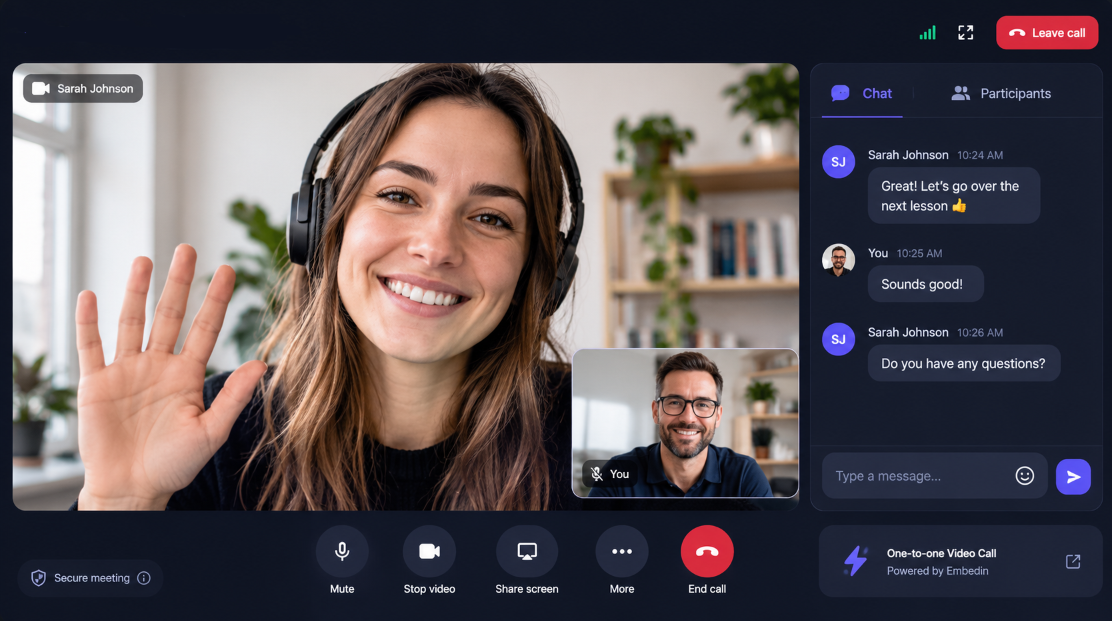
More than recorded lessons
Help students move forward, one conversation at a time.
A short call can make room for the questions that are hard to answer in a lesson or group discussion. Offer project feedback, talk through a sticking point, or help a learner choose their next step.
- Give personal feedback on a student's work
- Talk through a challenge using screen sharing
- Offer focused progress check-ins
A simple flow for both sides
From course to conversation.
- 01
Set up a call type
Choose the course, name the session, set its duration, and add the hours you want to make available.
- 02
Let enrolled students book
Students open Calls from their course and choose an available time. Course access is checked when they book.
- 03
Meet in the browser
Join with video, chat, and screen sharing on supported devices. The Join button becomes available five minutes before the call.
A few details
Questions about 1:1 calls
Who can book a call?
Calls are connected to a course. Students need access to that course, and access is checked when they book and again when they request to join.
Do students need a separate scheduling service?
No. Enrolled students can choose an available time from Calls in their course.
What can we do during a call?
Calls include video, in-call chat, and screen sharing on supported browsers and devices. Chat messages are temporary and are not restored after a reload or disconnect.
Included in every plan
Bring personal support into your course.
Create a course and set up 1:1 calls for the students learning with you.
Start for free No credit card required.