
How to Create an Online Course and Community with Astro
Astro is a strong option for content-first websites that still need dynamic app sections.
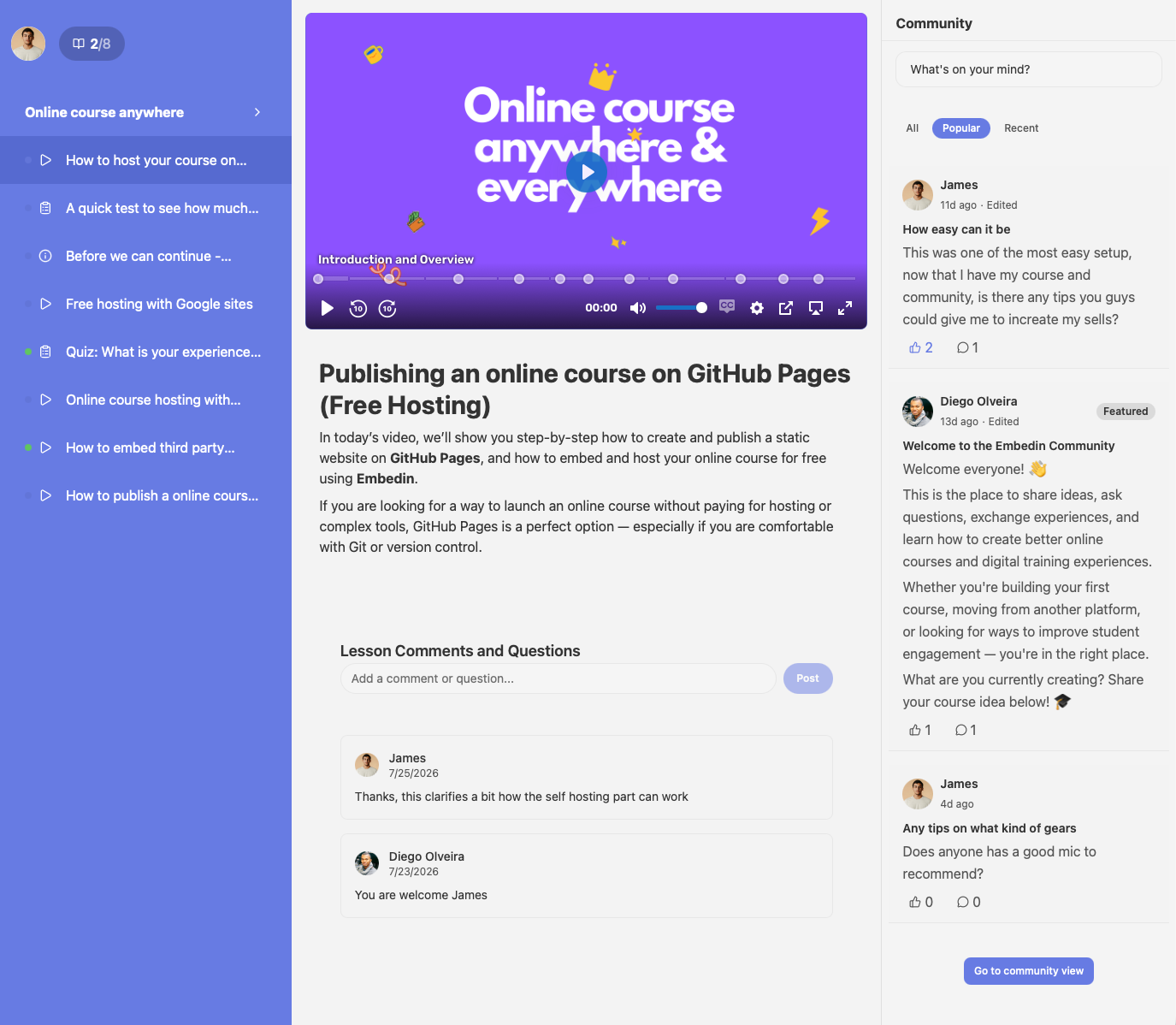
With Embedin, you can keep Astro as your fast frontend layer and add a complete course and community experience in minutes.
What Embedin gives you
- Course authoring and lesson structure
- Video delivery and learner access
- Embedded player for your Astro pages
- Built-in community discussions
Step 1: Create your course in Embedin
Set up your course and publish your first lessons in Embedin.
Then copy your course ID from course settings.
Step 2: Add domain allowlist entries
Add your Astro domains in Embedin settings:
http://localhost:4321https://yourdomain.com
Step 3: Embed in an Astro page
Create a page like src/pages/academy.astro:
---
const courseId = 'YOUR_COURSE_ID'
---

<html lang="en">
  <body>
    <main>
      <h1>Academy</h1>
      <div id={courseId} data-courseid={courseId}></div>
    </main>

    <script type="module" src="https://embed.embedin.com/course.js" data-courseid={courseId}></script>
  </body>
</html>
Replace YOUR_COURSE_ID with your course ID from Embedin course settings.
Step 4: Enable Community
Enable Community in course settings to activate learner conversations directly in the course experience.
This helps learners stay engaged and ask questions in context.
Step 5: Seed the community
Post three starter topics before launch:
- Welcome post and community rules
- Introductions
- First milestone check-in
Final thought
Astro gives you speed and strong content ergonomics. Embedin adds the course and community infrastructure so you can launch faster with less complexity.
.png)