The right online course platform depends on what you are teaching, who your learners are, and how you plan to reach them. A solo creator selling a first course has different needs from a company running employee training or a business adding courses to its existing website.
In 2027, a feature list alone is a poor way to choose. The useful question is whether a platform supports your whole workflow: creating and updating lessons, enrolling learners, delivering accessible content, and understanding what is working.
This guide compares the main platform models and gives you a practical checklist for evaluating them.
What makes an online course platform good?
Look beyond the course editor. A platform should fit your teaching and business workflows in the following areas:
1. Course creation and updates
You should be able to organize lessons, video, text, downloads, and assessments without fighting the editor. Also test how easy it is to revise a lesson, reorder a course, and keep existing learners' progress intact.
2. A good learner experience
Check the experience on both desktop and mobile. Lessons should be easy to navigate, load reliably on typical connections, and support the way your learners study. Captions, transcripts, keyboard navigation, and clear progress indicators can make courses more usable for a wider range of learners.
3. Content delivery
If you teach with video, find out how it is hosted and delivered, whether you can provide captions, and what happens when playback fails. Confirm that the platform also supports the other formats you rely on, such as text, downloads, or live sessions.
4. Enrollment, payments, and integrations
Make sure you can grant and remove access in the way your business needs, whether enrollment is manual, paid, or connected to another system. If the platform includes checkout, review payment options, fees, refunds, and the regions it supports. If you use a separate website, CRM, or email service, check how the systems connect and what information is shared.
5. Branding and control
Decide how important your own domain, visual identity, and website experience are. Some platforms place your course inside their marketplace; others let you use your own site or embed the learning experience. Neither is automatically better, but the difference affects how learners find and recognize your business.
6. Reporting and learner progress
Look for the specific information you will use: enrollments, lesson completion, assessment results, or engagement. Check whether reports can be exported or connected to the tools your team already uses.
7. Pricing, support, and room to grow
Compare the total cost at your expected enrollment, not only the advertised starting price. Check for transaction fees, limits on learners or video, paid add-ons, and the cost of the features you need. Consider support availability and whether the platform can handle your likely next stage without forcing a disruptive migration.
8. Privacy and portability
Understand what learner and course data the platform stores, who can access it, and how you can export it. Review the provider's privacy and security information, and confirm what happens to your content and learner records if you leave.
The main types of online course platforms
Most options fall into one of these categories. Compare the trade-offs against your goals rather than assuming one model is right for everyone.
| Platform type | Often a good fit when | Trade-off to check |
|---|---|---|
| Course marketplace | You want to list courses where learners already browse | Less control over branding, pricing, and the learner relationship |
| All-in-one course platform | You want course hosting, sales pages, checkout, and email tools together | Bundled features may limit your choice of tools or design |
| Learning management system (LMS) | You need structured training, administration, or reporting for an organization | Setup and administration may be more than a small creator needs |
| Embedded course platform | You want to deliver courses through a website you already manage | You may need to connect separate tools for checkout, marketing, or analytics |
Course marketplaces
Marketplaces list courses alongside other creators' content and may help learners discover courses there. They can be useful when built-in discovery matters more to you than controlling every part of the sales and brand experience.
Before choosing one, check how pricing, fees, learner communication, course presentation, and access to learner data work. Make sure the marketplace's rules fit how you plan to sell and support your course.
All-in-one course platforms
These tools bundle some combination of hosting, course pages, checkout, email, and learner access in one product.
They can simplify setup if the included tools match your needs. Before committing, confirm that you can use the integrations and design options your business depends on.
Best for:
- First-time course creators
- Small teams
- People who want a bundled setup
Trade-offs:
- Course design and learner experience may be limited to the platform's options
- Some tools may duplicate services you already use
- Moving your course and learner data later may take work
Learning management systems
Learning management systems (LMSs) are often designed for structured training, administration, and reporting. They can suit employee onboarding, compliance training, partner education, or customer learning programs.
Best for:
- Companies training employees
- SaaS teams building customer academies
- Agencies creating private learning hubs
Trade-offs:
- Administration may be heavier than a solo creator needs
- Public marketing and course sales tools may not be the focus
Website builders with embedded course delivery
With this model, you keep your marketing site in a website builder or custom site and use a course platform for the learning experience. It can preserve the site and brand you already have, but check how embedding works on your specific site and whether sign-in, payments, and learner progress connect cleanly.
Best for:
- Creators who already have a website
- Businesses that want courses inside their own brand
- Teams that care about their existing design and marketing experience
Trade-offs:
- The platform must support your website builder and the experience you want
- You may need to connect separate tools for checkout, email, or reporting
What to check before you choose
Start by writing down your must-haves. Then ask:
- Do you want your course on your own website, in a marketplace, or on a hosted platform page?
- Who are your learners, and how should they get access?
- Which content formats and learning activities do you actually need?
- What should learners be able to do on a phone or with assistive technology?
- Which branding, domain, and design controls matter to you?
- Do you need built-in checkout, or will you connect an existing payment flow?
- Which other tools must integrate with the platform?
- What reports do you need, and can you export the underlying data?
- What is the total cost at your expected course size?
- What support, privacy, and data-export commitments do you require?
These answers help you rule out platforms that are attractive in a demo but do not fit your day-to-day workflow.
How to evaluate a platform in practice
Use the same small test course to compare your shortlist. Do not rely on a sales demo alone:
- Build a representative lesson. Add the video, text, download, or assessment you expect to use.
- Take the course as a learner. Test navigation, playback, captions, mobile layout, and progress tracking.
- Run an enrollment. Try the access flow your learners will use, including payment or a private invitation if relevant.
- Review the admin work. Check how you update content, answer learner questions, and find progress reports.
- Check the boundaries. Read the pricing, feature limits, integration details, privacy information, and export options.
If a platform offers AI-assisted authoring or support features, treat them as optional workflow tools. Check whether you can review and edit their output, how your inputs are handled, and whether the feature genuinely saves time for your course. Do not let an AI feature outweigh a poor fit in delivery, accessibility, or data control.
When an embedded course platform makes sense
For creators and businesses that already have a website, an embedded course platform can avoid moving the whole brand and marketing experience elsewhere. It is not automatically the best option: compare the integration effort and any separate tools you will need with the convenience of an all-in-one product.
When the integration fits your needs, this approach can give you:
- Your own brand and domain
- Freedom to use your preferred website builder
- A learning experience connected to your site
- More flexibility in how you manage marketing and course delivery
This can be useful if you already use Notion, Webflow, Wix, Squarespace, or a custom website and do not want to rebuild everything inside a course marketplace. Confirm that the specific platform supports the site and sign-in flow you use. For setup examples, see our guides to embedding a course in Squarespace, Wix, and Webflow.
Where Embedin fits
Embedin is our product, designed for creators and teams who want to publish courses inside their own website rather than move their business into another platform's ecosystem. This is a first-party product overview, not an independent review; compare its current capabilities and limits with the checklist above.
It is designed for creators and teams who want to:
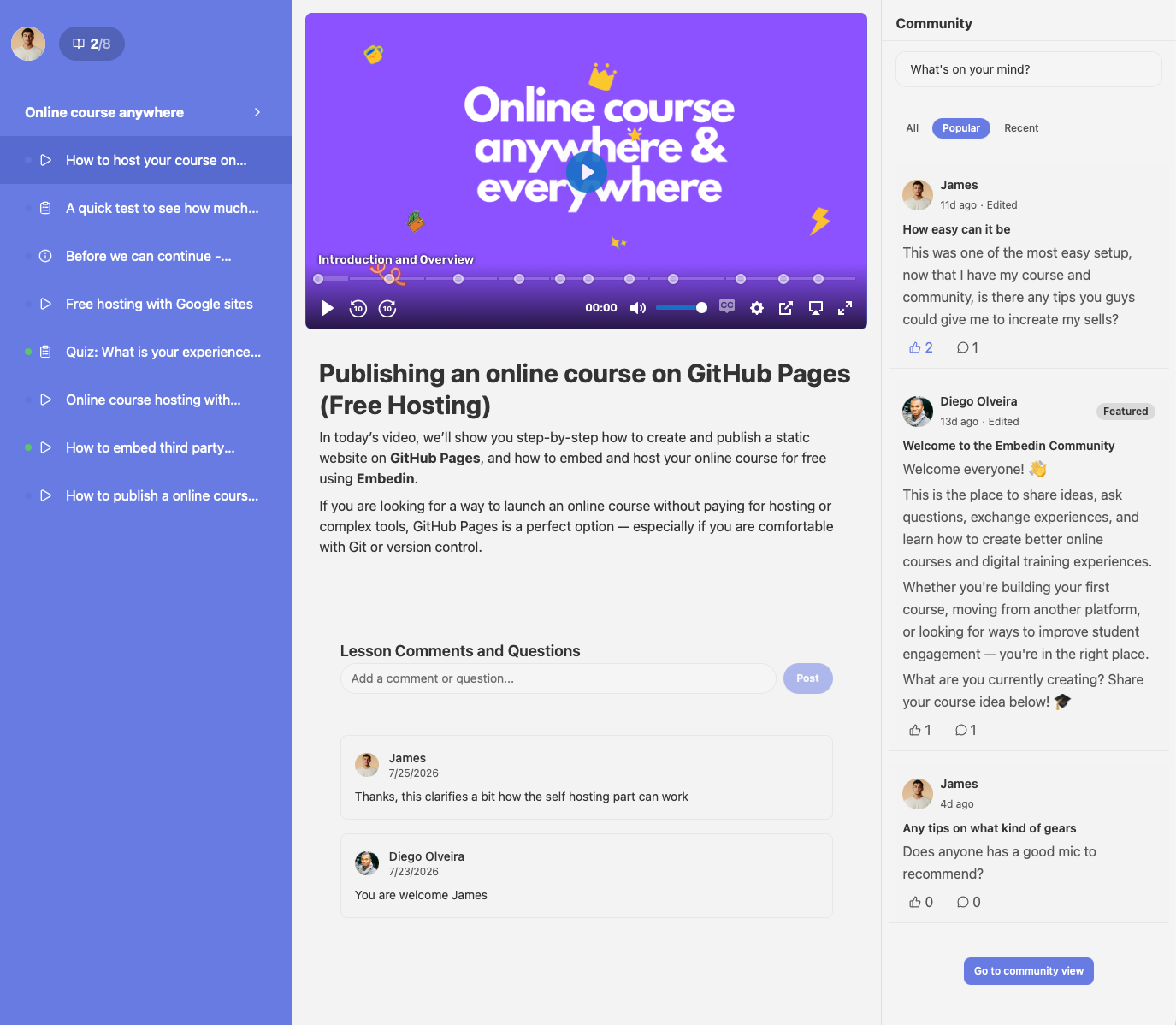
- Create structured courses with modules and lessons
- Host and stream course video
- Embed a learning experience into their own site
- Manage enrollments and gated access
- Keep the course experience aligned with their brand
Review the current plans and limits against your requirements before deciding whether it fits.
So, what is the best online course platform?
If you want a bundled setup and its included features fit your needs, an all-in-one course platform may be a good choice.
If keeping your existing website and brand is a priority, look for a platform that integrates with or embeds into your site. If you are training employees or customers, prioritize administration, reporting, and access controls. If built-in discovery matters most, consider a marketplace and weigh the loss of control against its reach.
The best online course platform is the one that matches your learners, workflow, and budget, not the one with the longest feature list.
Final recommendation
Choose based on what matters most to your learners and your team:
- Choose a marketplace if discovery is more important than controlling every part of the brand and sales experience.
- Choose an all-in-one platform if its bundled tools cover your needs and you value a simpler setup.
- Choose an LMS if you need structured administration and reporting for an organization.
- Choose an embedded course platform if you want to keep your own website and can support the required integrations.
Before you commit, build a small test course, try it as a learner, and check the full cost and data-export options. If your goal is to publish courses on your own website without building the infrastructure yourself, explore Embedin and compare its current features with your requirements.